Easily Scan to PDF
Submitted by admin on Fri, 10/02/2015 - 8:03pmIn the business world, we frequently have a need to create PDF documents which can then be emailed around (for example, contracts and proposals). The alternative would be to use an old-fashioned fax machine; something most average users do not want to keep up with. However, many scanning programs do not make it easy to save a multi-page PDF document, instead forcing you to deal with several JPG files or something similar.
 I would like to introduce to you my favorite method of scanning to PDF: "NAPS", which stands for "Not Another PDF Scanner." It's free, simple, and works with every scanner I've found. Once you scan your pages, you can easily reorder them if you like, and then save the collection of pages to PDF (or directly email if your workstation is set up with an email client).
 I call the class PseudoAssocArray, because it actually uses a HashMap to do the behind the scenes work.
  Programming from multiple computers is always a bit of a pain. What I used to do is keep all my source files on a USB drive, and just have to remember to carry it with me every where I go. I'm always worried about breaking or losing it, so I have to back it up frequently.
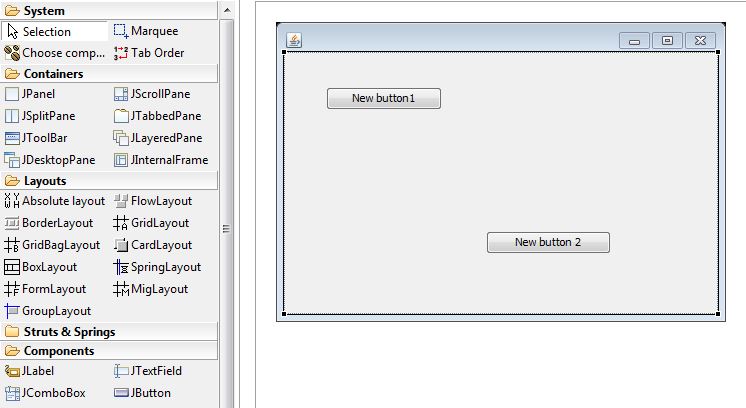 This is in stark contrast to, say, Microsoft Visual Basic / Visual Studio, where you can just drag and drop elements onto a form, and what you see is what you get. And when you double-click a button on your form, you get to the code which is executed when the button is clicked. In Java, if you want anything other than just the basics, you're going to have to do a lot of typing.
 For those MySQL gurus out there, you're probably screaming "use transactions!" But, if you are using a MyISAM table instead of InnoDB, that isn't an option.